


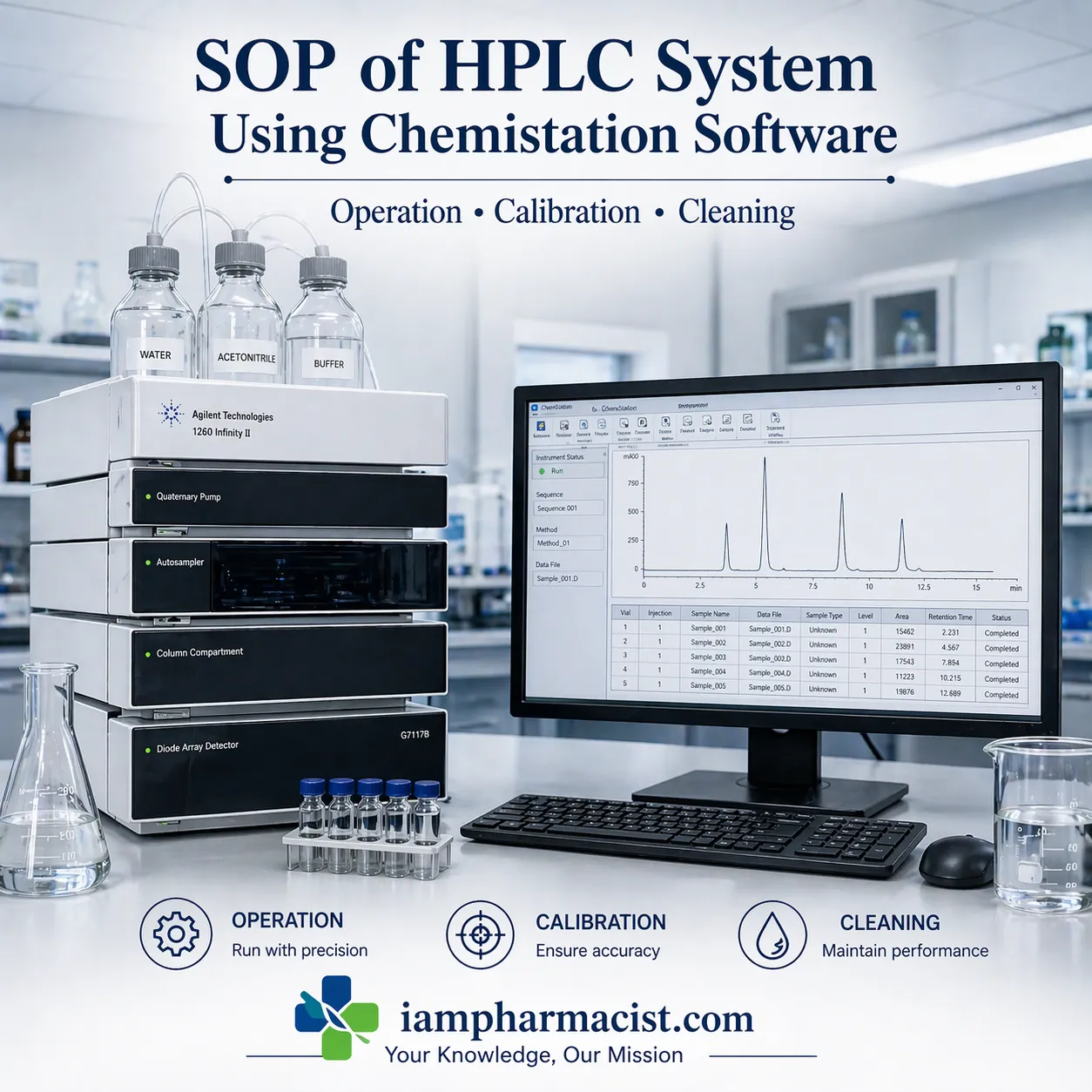

Learn SOP of HPLC system using Chemistation software including operation, method creation, calibration, and data analysis.
Introduction
High Performance Liquid Chromatography (HPLC) is one of the most critical analytical techniques used in pharmaceutical quality control laboratories. It enables precise separation, identification, and quantification of compounds.
The integration of HPLC with Chemistation software (commonly used in Agilent Technologies systems) enhances automation, data integrity, and analytical accuracy. This SOP provides a detailed procedure for operating an HPLC system using Chemistation software, including method creation, sequence run, and data analysis.
Definition
HPLC using Chemistation software is an analytical workflow where chromatographic separation is controlled, monitored, and analyzed through dedicated software that manages instrument parameters, data acquisition, and reporting.
| Parameter | Description |
|---|---|
| Flow Rate | Mobile phase flow (mL/min) |
| Injection Volume | Volume injected into column |
| Wavelength | Detection wavelength (UV) |
| Column Temperature | Controlled oven temperature |
| Run Time | Duration of analysis |
| Pressure Limit | Maximum system pressure |
Step-by-Step Process
- Prepare mobile phase and system
- Start HPLC modules and software
- Purge solvent lines
- Create or load method
- Run sample or sequence
- Analyze chromatogram
- Generate and print report
1.0 OBJECTIVE
To lay down a procedure for the operation of HPLC system using Chemistation software.
2.0 SCOPE
Applicable for operation of HPLC system using Chemistation software for Agilent HPLC systems.
3.0 RESPONSIBILITY
Officer / Executive – Quality Control
4.0 ACCOUNTABILITY
Manager – Quality Control
5.0 PROCEDURE
5.1 Operation of HPLC System
- Ensure system is clean and placed on stable platform
- Connect power and communication cables
- Switch ON all modules (pump, injector, detector, column oven)
Mobile Phase Preparation
- Prepare as per test method
- Fill reservoir bottle
- Ensure inlet filter is submerged
System Setup
- Connect column in correct flow direction
- Place detector outlet in waste container
- Switch ON PC and open Chemistation software
Instrument Initialization
- Turn ON modules via software (indicator turns green)
- Open purge valve
- Purge solvent lines at 5.0 mL/min
- Ensure no air bubbles in lines
5.2 Procedure for Method Creation
- Open method folder → create new method
- Click Edit Entire Method
Method Parameters
- Enter method information
- Set injector volume and wash settings
- Configure pump:
- Flow rate
- Isocratic/gradient program
- Pressure limit (~400 psi)
Detector & Column Settings
- Set column temperature
- Enter wavelength in VWD signal
- Configure integration events
Reporting
- Select report format (ABC, performance etc.)
- Save method with unique name
5.3 Procedure for Single Run
- Load method from file
- Enter sample information:
- Operator name
- Sample name
- Vial position
- Click Run Method
- Monitor chromatogram in real time
5.4 Procedure for Sequence Creation
- Create new sequence
- Enter:
- Sample names
- Method name
- Vial numbers
- Injection count
- Save sequence with proper naming
5.5 Procedure for Sequence Run
- Click Run Sequence
- Monitor injection list
- View chromatogram during run
5.6 Procedure for Data Analysis
- Open Data Analysis module
- Load sample data
- Integrate peaks using editor
Reporting
- Label peaks
- Adjust chromatogram scale
- Select report layout
- Print final chromatogram
5.7 System Shutdown Procedure
- Wash column with water and storage solvent
- Turn OFF UV lamp
- Set flow rate to zero
- Switch OFF pump and modules
- Close software and PC
- Record usage in logbook
5.8 Calibration Procedure
- Verify:
- Flow rate accuracy
- Detector wavelength accuracy
- Pressure stability
- Perform system suitability tests
- Record calibration data
5.9 Cleaning Procedure
- Flush system with suitable solvents
- Clean injector and tubing
- Maintain column as per manufacturer guidelines
- Prevent contamination of mobile phase
6.0 ABBREVIATIONS
- SOP – Standard Operating Procedure
- UV – Ultraviolet
- PC – Program Controller
- HPLC – High Performance Liquid Chromatography
Technical Insight: Why HPLC is Critical
HPLC ensures high sensitivity and specificity in drug analysis. It is essential for assay, impurity profiling, and stability studies, making it a backbone of pharmaceutical quality control.
FAQs
1. What is HPLC Chemistation software?
Software used to control HPLC systems and analyze chromatographic data.
2. What is mobile phase in HPLC?
A solvent mixture used to carry analytes through the column.
3. What is flow rate in HPLC?
The speed at which mobile phase moves through the system.
4. What is chromatogram?
A graphical output showing separation of compounds.
5. What is system suitability?
Test to ensure system performance before analysis.
6. What is sequence run?
Running multiple samples automatically.
7. Why purge solvent lines?
To remove air bubbles and old solvent.
8. What is UV detector?
Detects compounds based on UV absorption.
9. How to shut down HPLC?
Flush system, turn off modules, and record usage.
10. What affects HPLC accuracy?
Mobile phase, column condition, and calibration.